

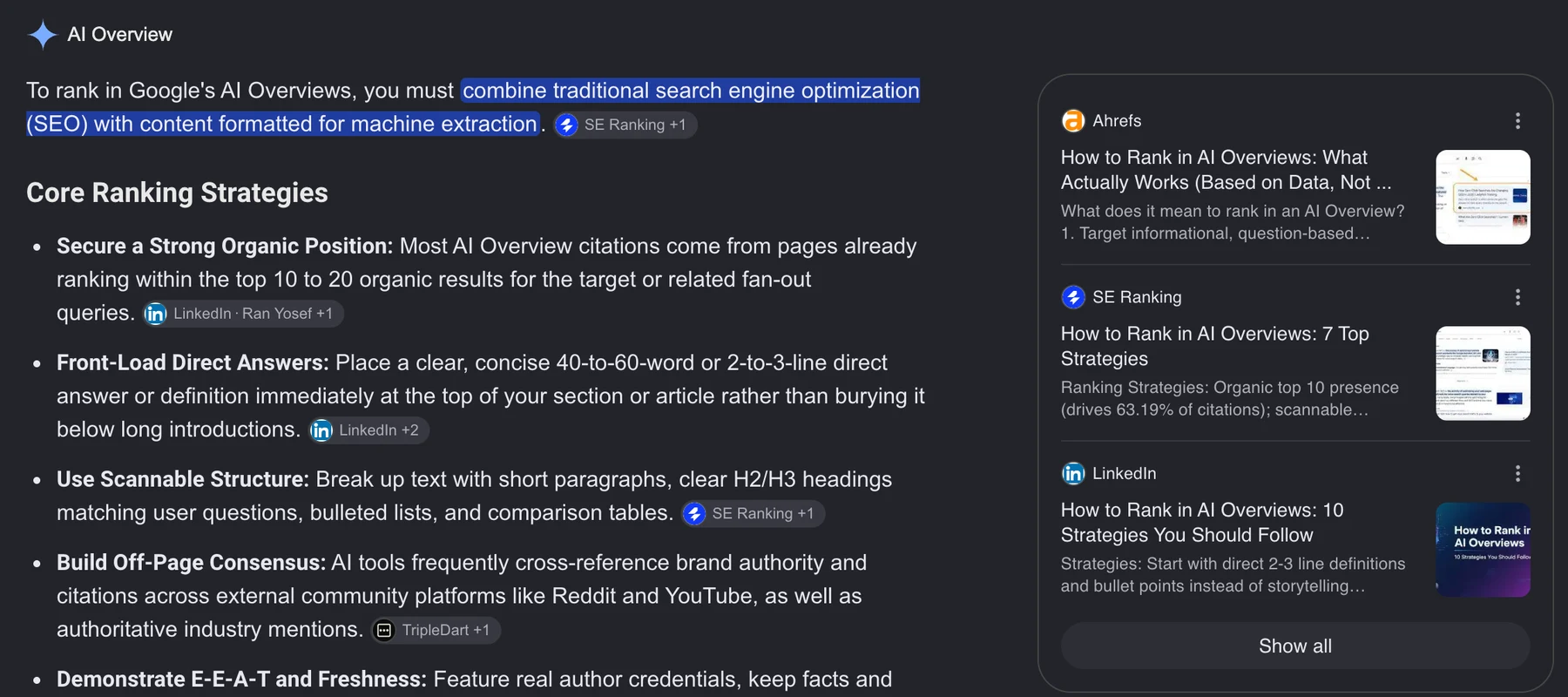
You rank in an AI Overview the way you rank in Google: with an indexed page that answers the question better than the other pages Google could use. Google says no separate optimization exists.
Google's guide to AI features says there are "no additional requirements to appear in AI Overviews or AI Mode, nor other special optimizations necessary." A page is eligible when it is indexed and eligible to be shown in Search with a snippet. The same page says you do not need new files, AI-specific text, or schema markup to appear.
So anyone selling an "AI Overview optimization" package is selling ordinary SEO under a new name, or selling something Google says does nothing. What changes is which searches you aim at. Pew Research Center tracked 68,879 real Google searches by 900 US adults in March 2025. An AI summary appeared on 18% of them overall, on 8% of one- or two-word searches, on 53% of searches of ten words or more, and on 60% of searches that began with a question word such as who, what, when, or why. Aim at the questions your buyers type, not the two-word category term.
Be eligible
Indexed, and allowed to show a snippet. A nosnippet or max-snippet:0 robots tag, or a data-nosnippet wrapper around your answer, keeps that text out of overviews.

Answer the question
A heading worded as the question, and the answer in the first sentences under it, in plain text. The overview needs a passage it can lift and link.

Rank for it
Google says the SEO practices that earn a regular result apply to overviews too. The work that moves you up for the question is the work that gets you considered.
 When an overview appearsShare of searches

 What Google requiresTo be eligible

 Where the clicks goShare of visits

How to get your page cited in an AI Overview
Pick the questions first, then make one page the clearest answer to each. This takes an afternoon per page, most of it in writing.
 In this order0 / 5
- List the questions your buyers type. In Search Console, open Performance, add a query filter, choose Custom (regex), and paste
^(how|what|why|when|who|which|can|do|does|is|are|should). Sort by impressions. These are the searches most likely to show an overview. - Search each one and read the overview. Use a private window. Note whether an overview appears, which pages it links, and whether yours is among them.
- Check the page is eligible. Run it through URL Inspection in Search Console to confirm it is indexed, and view the source for
nosnippet,max-snippet, anddata-nosnippet. - Put the answer under the question. Word a heading as the buyer's question and answer it in two or three sentences directly below, before any background. Keep the answer in HTML text, not in an image, a tab that loads on click, or a PDF.
- Search again in four weeks. Overviews change often. Record the same queries on the same day each month so a change in who gets cited shows up as a change, not as noise.
Two fixes people reach for do not appear on Google's list. Schema markup is not required, although it still does its usual jobs in regular results. An llms.txt file is one of the new files Google says you do not need, and no engine has published a ranking benefit for one; the evidence is in Does llms.txt work?
How to tell whether AI Overviews are taking your clicks
Search Console now answers half of this. Since June 2026 it has a Generative AI report that shows where overviews display your pages. It does not show which clicks they took, so that half you still work out query by query.
Open Performance in Search Console and choose Generative AI underneath it in the sidebar; the report is marked Beta. Google's help page for it says it counts how many times links to your site were shown in AI Overviews and AI Mode, broken down by page, country, device, and date. It has no queries, clicks, click-through rate, or position, and the same impressions are also counted in the ordinary Web search report. Google announced it on June 3, 2026 and had rolled it out to every site by August 31.
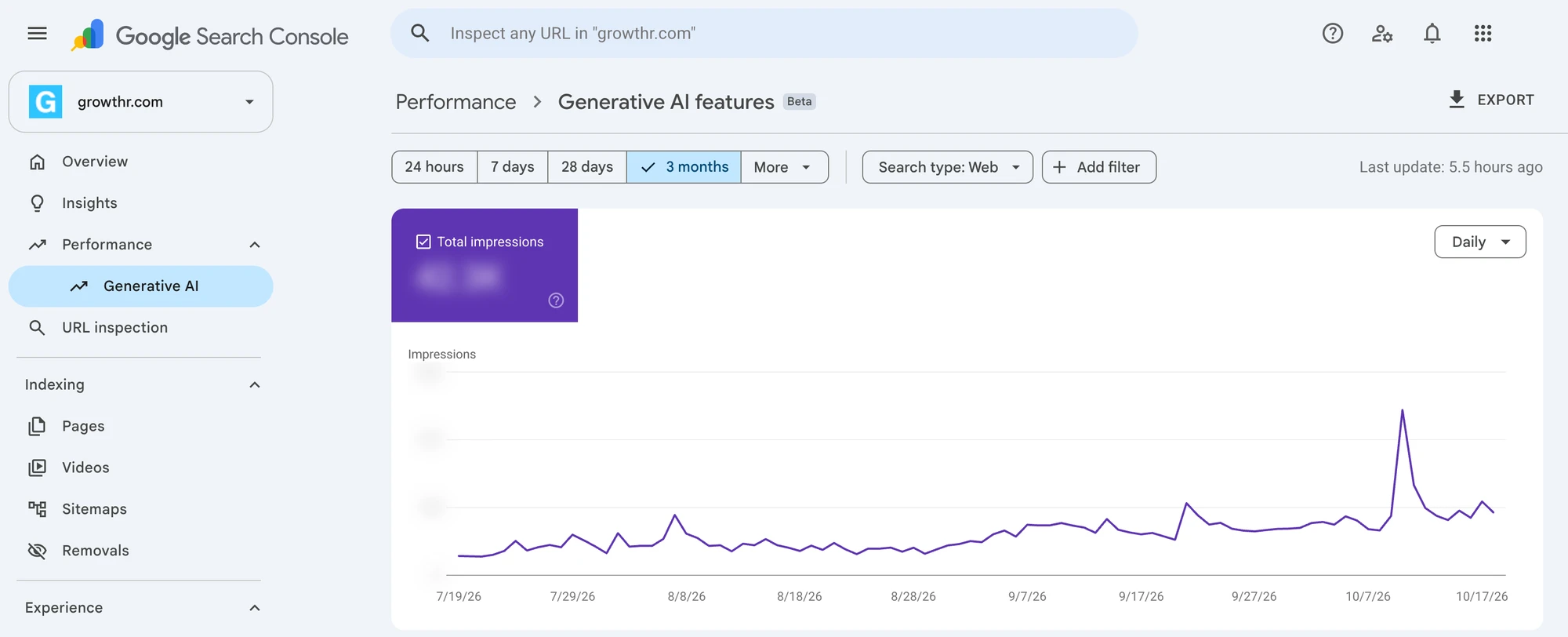
The report tells you which pages to check. To see whether an overview is costing one of them clicks, look for a query whose position held steady while its click-through rate fell. Your page did not drop. Something above it started answering the question.
- Start from the pages the Generative AI report lists. Those are the pages overviews show, so they are the ones worth checking.
- Compare two periods in the main report. In Performance, filter to one of those pages, choose Compare, then two 28-day windows a few months apart, and keep the question filter from the checklist above.
- Sort by the CTR change on the Queries tab. Ignore queries with fewer than about 100 impressions in either window; the rate on small numbers swings on a handful of clicks.
- Keep the ones where position barely moved. A CTR drop with a position drop is a ranking problem. A CTR drop at the same position is the overview pattern.
- Search each survivor. If an overview now answers it and does not link you, that is the lost click. If it links you, you are cited and the click rate is still lower, which is the normal cost.
Set expectations with Pew's numbers. Searchers clicked a regular result on 8% of visits to a results page with an AI summary, against 15% without one, and clicked a link inside the summary itself on 1% of visits. They also ended their browsing session on 26% of pages with a summary, against 16% without. Google, for its part, says clicks from pages with AI Overviews are higher quality, meaning people spend longer on the site. Both can be true at once. Fewer people click, and by Google's account the ones who do stay longer.
What to do when an overview takes the click
You have three responses, and hiding from overviews is the weakest.
- Become the cited source. If the overview links three pages and yours is not one, compare your answer with theirs. Usually theirs states the answer earlier and more plainly. Rewrite that passage, not the whole page.
- Aim the page at the next question. An overview settles "what is X". It rarely settles "X pricing", "X vs Y for a team of ten", or "X near me", where the buyer needs a page. Add the section that answers what someone asks after reading the overview.
- Measure what the page is for. If the page exists to produce inquiries, track inquiries from it. A page can lose clicks to an overview and keep its leads, when the searchers the overview satisfied were never going to inquire.
Opting out is now one switch, and usually a mistake. Since June 2026, Search Console's Settings has a Search generative AI control that excludes your site from AI Overviews, AI Mode, and AI Overviews in Discover. Google says an excluded site gets no traffic or impressions from those features, and that the setting is not used as a ranking signal for regular results. Before the switch, the only route was the snippet rules (nosnippet, data-nosnippet, max-snippet), which also strip the description from your ordinary result. Excluding your site does not remove the overview. Google still shows one for the question, built from the pages that stayed in. Blocking Google-Extended in robots.txt does not remove you either; it covers Gemini model training and grounding, and Google says it has no effect on inclusion or ranking in Search.
Frequently asked questions
How do I rank in Google AI Overviews?
With ordinary SEO aimed at question-shaped searches. Google says there are no additional requirements or special optimizations for AI Overviews: the page has to be indexed and eligible to show a snippet. Beyond that, word a heading as the question, answer it in plain text directly below, and rank for the question in the regular results.
Do I need schema markup or llms.txt to appear in AI Overviews?
No. Google's guidance on AI features says you do not need new files, AI-specific text, or schema markup to appear in AI Overviews or AI Mode. Structured data still does its usual jobs in regular results.
Can I see AI Overview traffic in Search Console?
Partly. Since June 2026 the Performance section has a Generative AI report (Beta) that counts impressions in AI Overviews and AI Mode by page, country, device, and date. It shows no queries, clicks, click-through rate, or position, and the same impressions also count in the Web search report. To estimate lost clicks, compare two periods for the pages it lists and look for question queries whose position held steady while click-through rate fell.
How many clicks do AI Overviews cost?
In Pew Research Center's study of March 2025 searches, people clicked a regular result on 8% of visits to a results page with an AI summary and on 15% without one, and clicked a link inside the summary on 1% of visits. Your own numbers depend on the query, so measure them in Search Console rather than assuming the average.
Want to know which of your questions an overview answers?
Run our free scan to check whether AI crawlers can read your site. Or book the $99 strategy call and we run the full baseline across ChatGPT, Perplexity, and Google AI with you on the screen.
Related: How to get ChatGPT to recommend your business · SEO agency services · SEO + GEO services