
Key points
- Claiming is separate from advertising. You do not need an Ads account or a ChatGPT Enterprise agreement to claim an eligible business.
- There are two checks. OpenAI first approves your claim, then your identity through Persona. Editing, insights, the blue check and Business Agents all wait for the second one.
- It does not buy placement. OpenAI says claiming does not guarantee higher placement, and ads do not influence ChatGPT's independent answers.
- Mentions means citations. For an online business, a mention counts only when ChatGPT references your website. Your name appearing without a link is not counted.
To claim your business in ChatGPT, sign in, open Business Hub from the sidebar, search for your business by name, select its listing, and verify with a code by phone or business email, a DNS TXT record on your domain, or your Shopify store. After OpenAI approves the claim, finish identity verification with Persona. Only then can you edit your details, connect a product feed, see insights or build a Business Agent.
OpenAI launched Businesses in ChatGPT in beta on November 10, 2026, and says ChatGPT has 1.2 billion weekly users. It sits next to ChatGPT Ads but needs no ad account. You get a profile you control, a dashboard of how often answers cite you, and, for some US businesses, an AI agent that answers for your business in its own labeled chat.
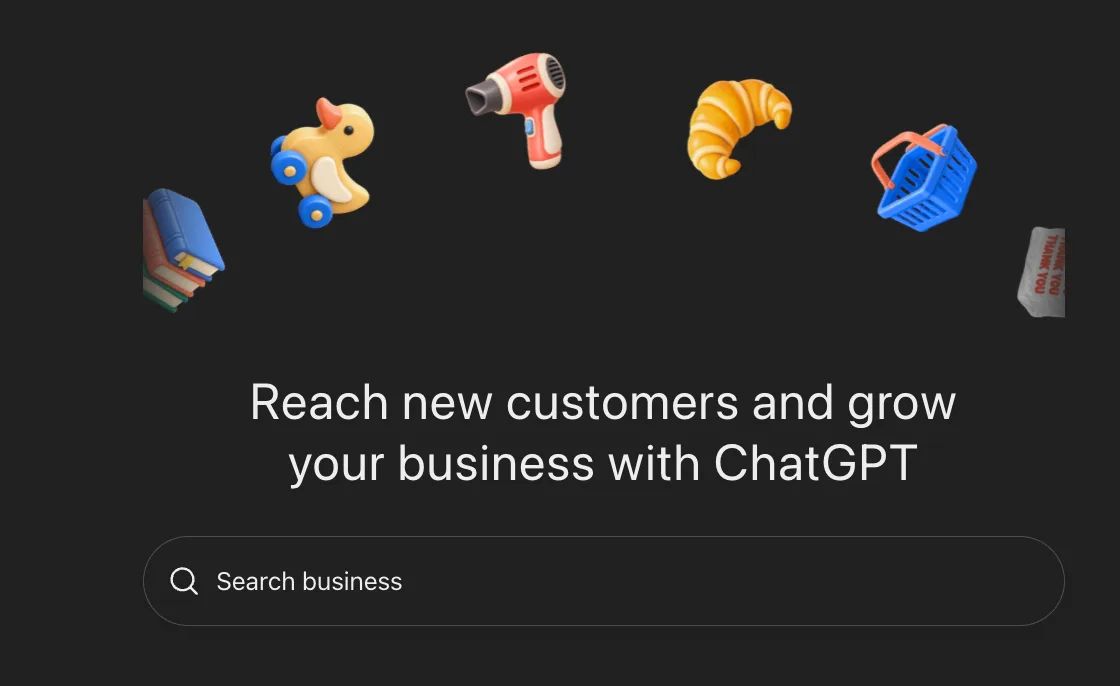
What OpenAI launched
The launch has four parts. Each one has its own eligibility rules, and only the first three are available outside the US.
| Part | What it does | Who can use it |
|---|---|---|
| Business profile | Verified owners edit the website, description, category, logo, delivery and return policy. A blue check marks the profile as claimed. | Eligible businesses wherever ChatGPT is available. Local stores and restaurants can claim only an existing US listing. |
| Product feed | Prices and availability from a CSV upload, a hosted feed URL or a Shopify catalog. | Businesses that sell products. The feed must follow OpenAI's commerce policies. |
| Insights | Mentions, website clicks and discovery topics over the past 28 days. | Any claimed business that has passed Persona verification. |
| Business Agent | A separate, labeled chat that answers customer questions from your product and policy information. | Eligible ecommerce and online service businesses in the US with a website. |
From OpenAI's setup guide and Businesses in ChatGPT page, read November 10, 2026. OpenAI says eligibility depends on industry, location and its verification checks, and will change over time.
How to claim it, step by step
1. Choose the account that will own it
The ChatGPT account you claim with becomes the admin, and that admin is the one who invites teammates and agencies later, each on their own account. Use an account that belongs to the company rather than one person's personal login. If you claim inside a ChatGPT workspace, invitees may need to be members of that workspace.
2. Find your listing
Open Business Hub, search for your business and select the listing that matches. If there is none, an eligible online business may see an option to add one. A listing that shows Contact support is locked, and support has to unlock it. If someone has already claimed your business, open its profile, choose Dispute ownership from the ··· menu and verify through Persona.
3. Verify the claim
Business Hub shows the methods available for your listing, out of four: a code by text or call to the business phone, a code to the business email, a TXT record on your domain, or a Shopify login. The phone and email codes go to the contact details ChatGPT already associates with the business, so if those are out of date, use the domain. For the TXT record, copy the type, host and value exactly into your DNS settings, wait for it to propagate, then select Verify domain.
4. Wait for OpenAI's approval
OpenAI reviews the claim and emails a decision or a request for more information. It does not publish a review time.
5. Pass Persona verification
Persona asks for a government ID, business registration information and proof that you can represent the business. OpenAI's help page singles out one cause of failed checks: the business name, address and registration or tax number have to match your official records exactly. One more thing to know before you start: if you create a new profile through Persona, approval publishes it automatically, with no separate publish step.
6. Fill in the profile and the feed
Add your website, description, category, logo, delivery policy, return policy and a cover photo. OpenAI reviews each change before it goes live, and changes take time to show up in answers. If you sell products, connect a feed: a CSV that follows OpenAI's product feed specification, a hosted feed URL, or your Shopify store, whose products already flow into ChatGPT through Shopify Catalog.
| After this is approved | You can |
|---|---|
| Your claim | Open the business in Business Hub. Nothing you edit is published yet. |
| Persona verification | Publish changes, connect a product feed, view insights and create a Business Agent if eligible. The blue check appears. |
| Your published agent | Let customers start a chat with your Business Agent from your profile. |
What claiming changes
Claiming gives you an owner-maintained source for the facts ChatGPT shows about you. It does not change how ChatGPT ranks you.
OpenAI is direct about this. Its FAQ says "Claiming does not guarantee higher placement or sales," and its help center adds that advertising does not influence ChatGPT's independent answers. Claiming or disputing a profile does not change its visibility either. ChatGPT keeps making its own recommendations and comparisons, and it may still draw on other sources when it answers questions about you.
So the case for claiming is accuracy and control. Wrong hours, an old price or a return policy you changed last year can now be fixed at a source ChatGPT reads, instead of waiting for it to pick up your site. And claiming early keeps the profile in your hands: if someone else gets there first, the way back is a dispute through Persona, and OpenAI support cannot delete or hide a published profile for you.
Make the profile say what your site says. Because ChatGPT combines your profile with other sources, a profile that disagrees with your website or your review pages gives it two versions of the facts to choose between. Whether ChatGPT recommends you at all still comes down to the same things as before Business Hub existed: whether its crawlers can read your site, whether your pages answer the question in words it can quote, and whether other sites vouch for you. Our guide to getting ChatGPT to recommend your business covers those, and our free site scan checks the first one in about a minute.
How to read the insights
Insights cover the past 28 days and are aggregated. OpenAI does not share prompts or conversations with businesses, including chats with their own Business Agent. There are three metrics.
- Mentions. For an online business, a mention counts when ChatGPT references the business's website. Your brand name alone does not count. For a local business, a mention counts when ChatGPT shows a result for that location, whether or not anyone opens it.
- Website clicks. How often people clicked through to your site from ChatGPT.
- Discovery topics. Common themes in the answers that mentioned or cited you. They group answers rather than show individual prompts, and OpenAI says they do not directly measure customer intent.
Read the mention count with that definition in mind: for an online business it counts citations of your site. An answer that recommends you by name and links a review site or a directory instead is not in it, so the dashboard can undercount how often ChatGPT puts you in front of people. Keep running a fixed list of buyer prompts by hand and record whether you are named and which sources are cited. The dashboard tells you how often your site is the source; the prompt list tells you whether you are in the answer at all.
Discovery topics are the most useful part. Compare them with the pages you have. A topic where you get cited but have no page written for it is a page to write. A topic you sell into that never appears is where a competitor is being cited instead.
A blank metric does not mean zero. OpenAI only reports a number once activity passes a privacy threshold, and it says counts may be incomplete. Expect a newly claimed small business to see blanks for a while.
Business Agents
A Business Agent is an AI chat that represents your business inside ChatGPT. When your business comes up in an answer, people can open your profile and start a conversation with the agent. That chat is labeled, separate from their original conversation, and distinct from ChatGPT's own answers.
- Who can have one. Eligible ecommerce and online service businesses in the US with a website, in an industry the Business Agents policy allows. OpenAI looks at both the category and what the agent is for, and says verification alone does not guarantee eligibility.
- What it can do. Answer questions about your products and policies from the information and guidelines you give it, and link to your website. It cannot complete purchases, make bookings or look up an order, and it does not use data from any ChatGPT plugin your business has.
- What it must not do. Pretend to be a human or an independent adviser, invent prices or results, create false urgency, keep pushing after someone declines, ask for high-risk personal information, or give advice that legally requires a license.
- How to test it. OpenAI suggests previewing it with a question customers often ask, such as whether a sale item can be returned. Use your real support inbox: take the questions you answer most often and check each answer before you publish.
Shopify stores have fewer steps. Connecting the store from Business Hub or the Shopify admin verifies the claim, shares the catalog and creates a draft agent to review. The agent is also an ad destination: businesses can sponsor it and send ChatGPT Ads traffic to it, which is the Sponsored Agents format OpenAI began testing with select US advertisers on September 16, 2026. Sponsored placements are labeled and kept separate from ChatGPT's answers.
What to do this week
1. Claim the profile now
Do it even if you never plan to run an agent or an ad. If someone else claims it first, getting it back means a dispute through Persona.
2. Verify by domain if you control DNS
It proves control of the site ChatGPT cites and does not depend on contact details that may be stale on the listing.
3. Finish Persona straight away
Nothing useful unlocks before it. Have your registration documents ready and type the business name, address and tax number exactly as they appear on them.
4. Copy the profile from your website
Paste your description, category, policies and logo from what your site already says, so the two sources agree.
5. Add your team and agency properly
Invite each person on their own ChatGPT account from Business Hub. OpenAI asks you not to forward a personal claim invitation.
6. Record a baseline before you change anything
Run your buyer prompts today and save the answers. Read the insights again after 28 days, and compare the website clicks with chatgpt.com referrals in your analytics; they will not match exactly, but they should move together.
Frequently asked questions
Is it free to claim your business in ChatGPT?
OpenAI lists no fee for claiming, and you do not need an Ads account or a ChatGPT Enterprise agreement. Advertising, including sponsoring a Business Agent, is paid and separate from claiming.
Does claiming my business make ChatGPT recommend it?
Not by itself. OpenAI says claiming does not guarantee higher placement or sales, and that advertising does not influence ChatGPT's independent answers. Claiming lets you correct the facts ChatGPT holds about you; whether it recommends you still depends on your site, your content and what other sources say.
How do I verify my business in ChatGPT?
There are two checks. First verify the claim with a code to the business phone or email, a DNS TXT record on your domain, or your Shopify store. After OpenAI approves it, complete identity verification with Persona, which can ask for a government ID, business registration details and proof you can represent the business.
What counts as a mention in Business Hub insights?
For an online business, a mention counts when ChatGPT references your website; your brand name alone does not count. For a local business, a mention counts when ChatGPT shows a result for that location. Insights cover the past 28 days, and a blank metric can mean activity is below the reporting threshold rather than zero.
Who can create a Business Agent?
Eligible ecommerce and online service businesses in the US with a website, in an industry OpenAI's Business Agents policy allows, after Persona verification is approved. A Business Agent answers questions and links to your site; it cannot complete purchases, make bookings or check orders.
Can an agency manage our ChatGPT business profile?
Yes. The admin who claimed the business can add teammates and grant an agency access in Business Hub. Each person uses their own ChatGPT account; OpenAI asks you not to forward a personal claim invitation.
Want the rest of your AI visibility checked?
Business Hub covers the facts ChatGPT holds about you. Growthr's SEO and GEO work covers what decides whether it recommends you: crawler access, pages written to be quoted, and the third-party sources that vouch for you. A $99 strategy call, credited toward the $1,499 Boost.
Related: How to get ChatGPT to recommend your business · Are AI crawlers blocked on your site? · ChatGPT Ads · SEO & GEO